In the next chapter of my journey, which you can explore in detail through the links below:
- Article 1 : How to reverse engineering an Android App and Its API — Example with an app from the US government
- Article 2 : AWS Secrets: The Guide to Bypassing CORS for Developers
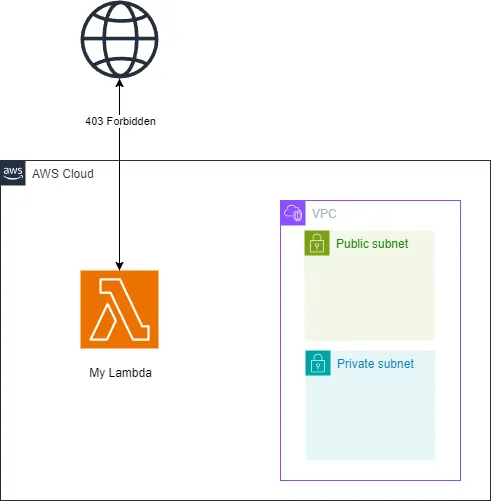
Today, we’ll explore how to effectively utilize AWS even when its network is blacklisted. I conducted all of my development locally. Here’s an overview of the actual architecture I used:
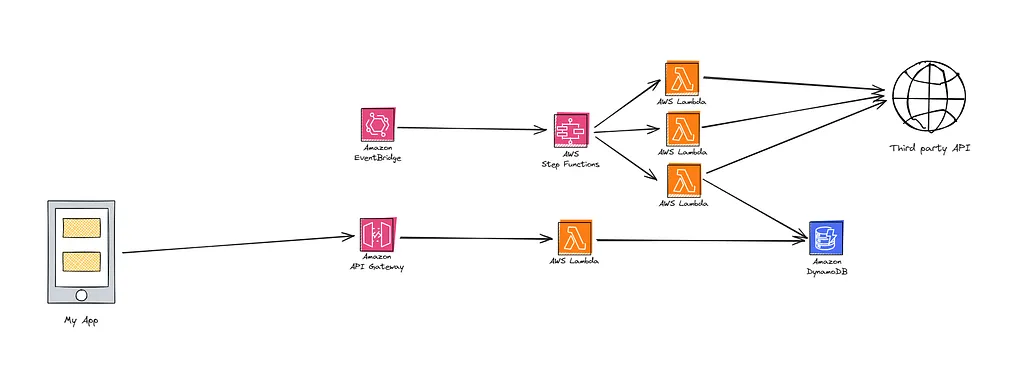
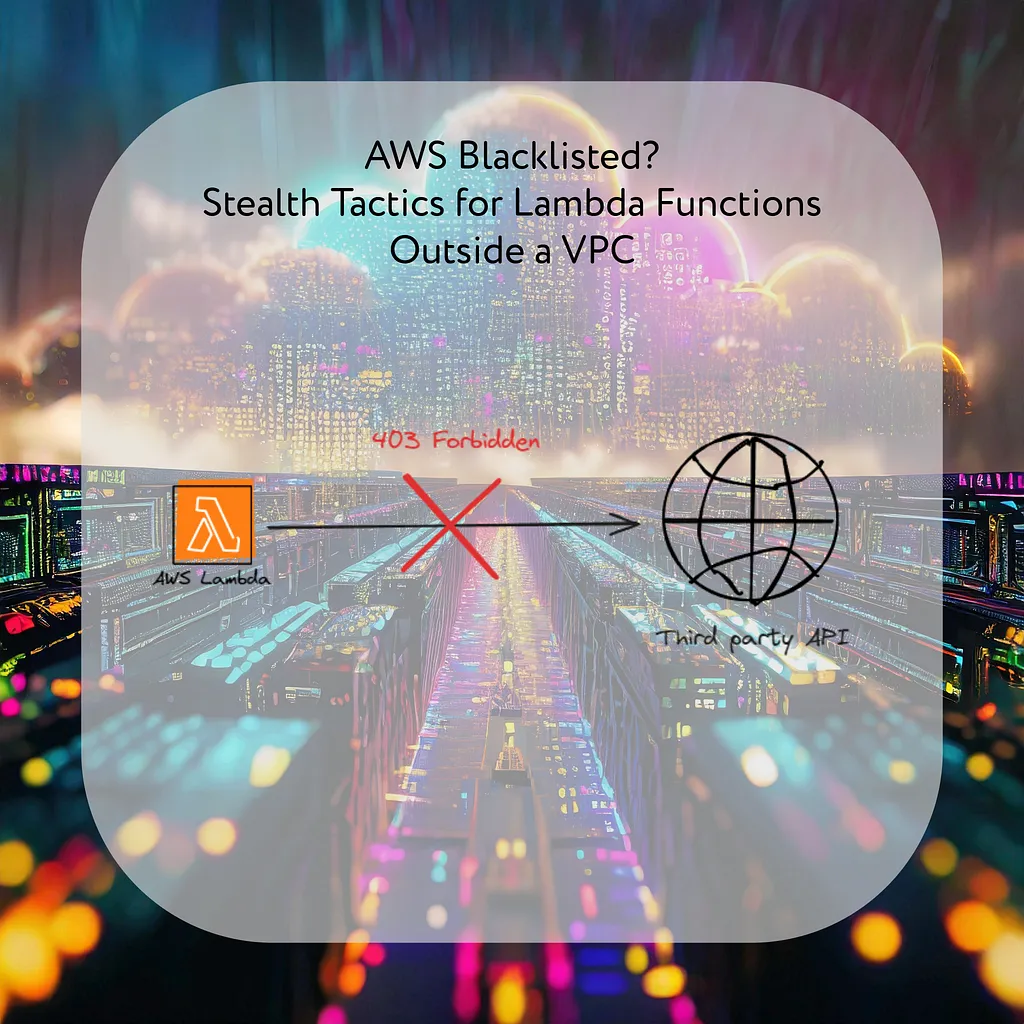
I developed my AWS Lambda functions in Python and conducted all the necessary tests, which all passed flawlessly. However, upon deployment, I encountered an unexpected issue — all my requests to the third-party API were met with 403 errors. After verifying my code and re-testing it locally (where everything functioned perfectly) and from another network (which also worked), I deduced that the AWS network might be blacklisted by the API.
From a security perspective, if the API is designed primarily for end-users, blocking AWS IPs is a sensible and straightforward approach, especially since AWS publishes its IP ranges here.
For those not on AWS looking to minimize unwanted traffic, using such IP filters can be an effective starting point.
So, what could I do next, given that not being able to use my Lambda functions was quite disheartening? The issue was the IP address AWS assigned to my Lambda, which led me to consider using a proxy. Fortunately, I own a Synology NAS at home, which I decided to use as a proxy server. It’s always on and can relay my calls to the final server. Since my NAS is connected to my home network, it uses an IP that isn’t blacklisted, allowing me to perform local tests successfully.
I explored the Synology Package Center and, luckily, found an official application that fits the bill:
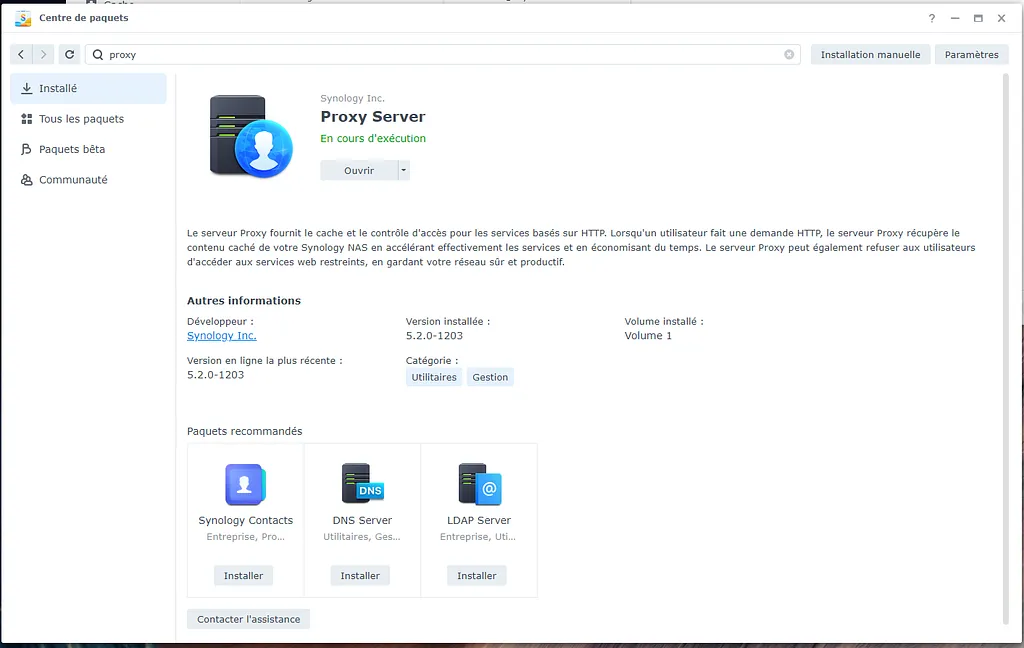
Once installed, setting up the proxy is quick and straightforward, taking only about 5 minutes.
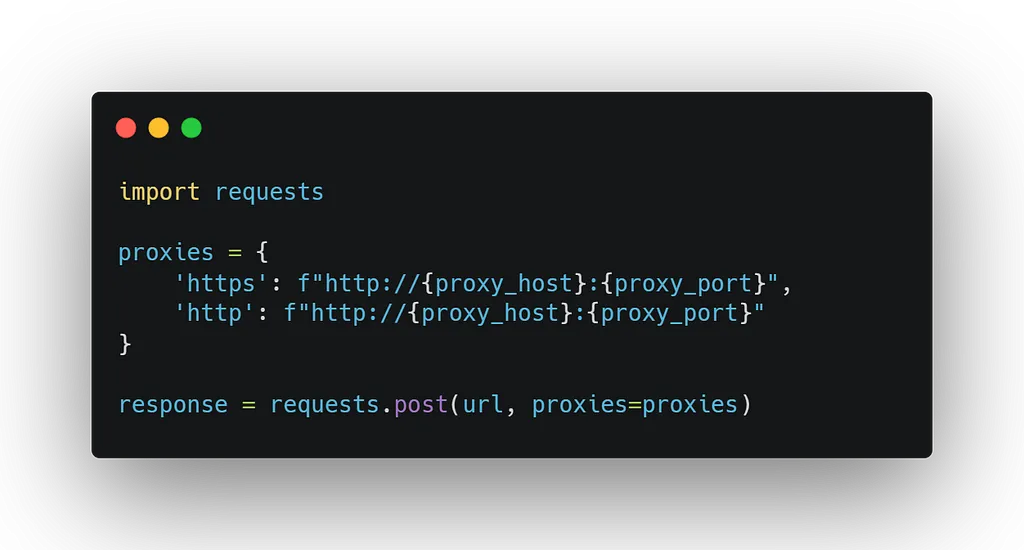
To integrate this new proxy with my Python Lambda functions, I needed to make a few adjustments. Here is the code snippet to help illustrate the modifications:
To provide a clearer understanding of the changes we’re implementing, here’s a visual representation of our setup:
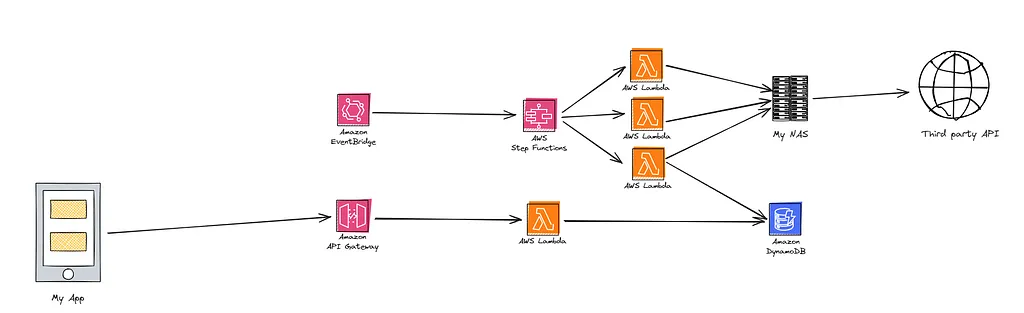
I deployed my changes, and like magic, it worked: I started receiving the correct responses from the API! My suspicions were confirmed — the only issue was the AWS-assigned IP. This example illustrates how you can leverage AWS’s power while masking its use from external APIs. However, the infamous 403 error soon reappeared, but for a completely different reason. Stay tuned for the continuation of this saga in my next article!